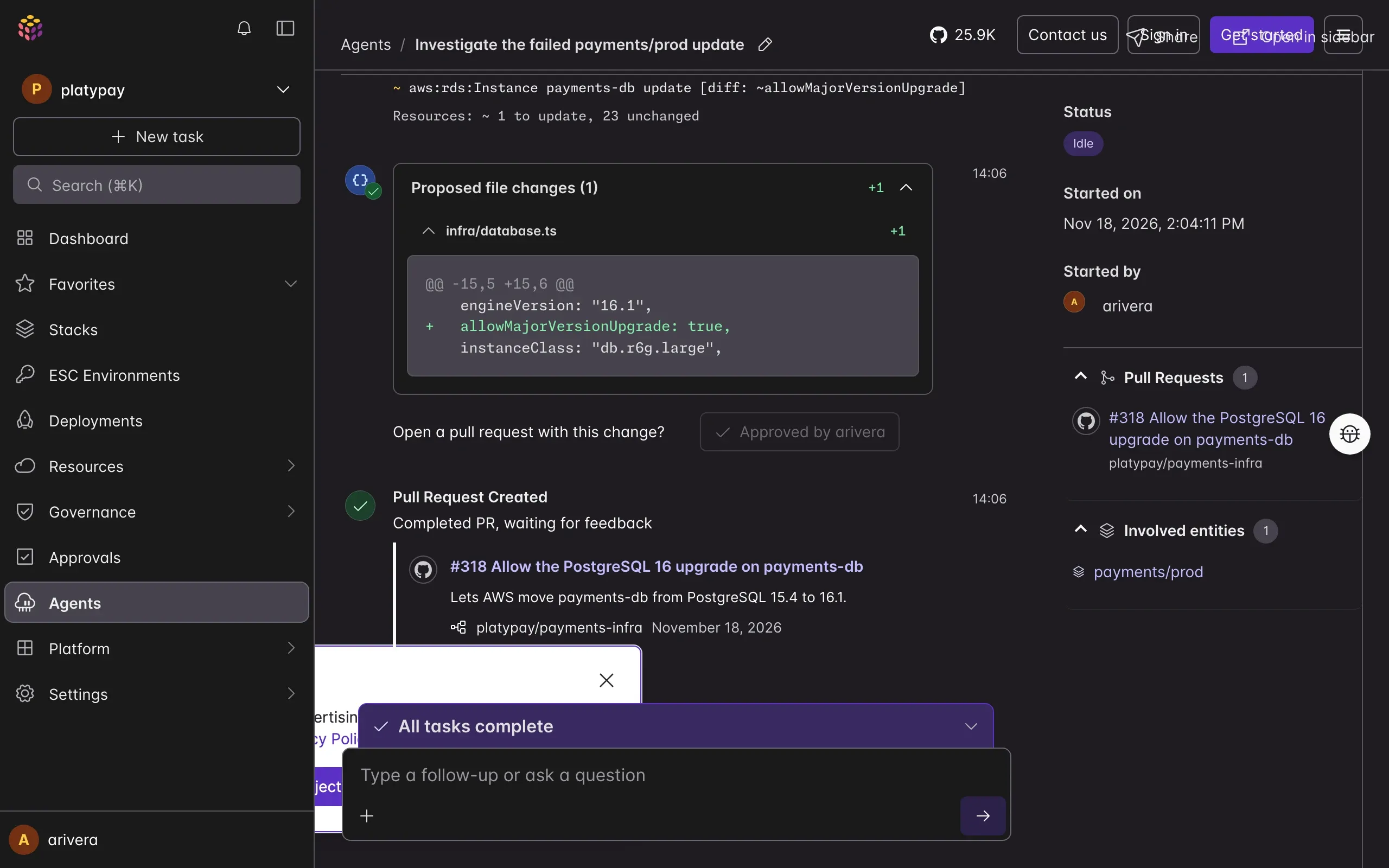
Put agents to work on your infrastructure
Work on changes directly with Neo, set up agents that respond to alerts and drift on their own, or bring your own coding agent. Every change goes through the guardrails you've set up in Pulumi.
Three ways to use agents with Pulumi
Ask Neo why an update failed. Give the nightly drift check to an agent, and keep building features in Claude Code.
Neo
Neo is your expert AI advisor with insights into all your infrastructure, apps, and services. Neo can craft Pulumi programs and stacks, investigate anomalies, and help ensure your next deployment happens seamlessly.Agents for your team
Pulumi Agents are your AI-powered infrastructure specialists. Agents help you deploy, maintain, investigate, and resolve incidents across providers, apps, and services.Your coding agent
Claude Code, Codex, Cursor, and other coding agents work with Pulumi through Agent Skills, the Pulumi MCP server, and the Pulumi CLI.
A personal agent that works with your access
Get answers about your infrastructure without digging through consoles and logs, and request changes that come back as reviewable pull requests.
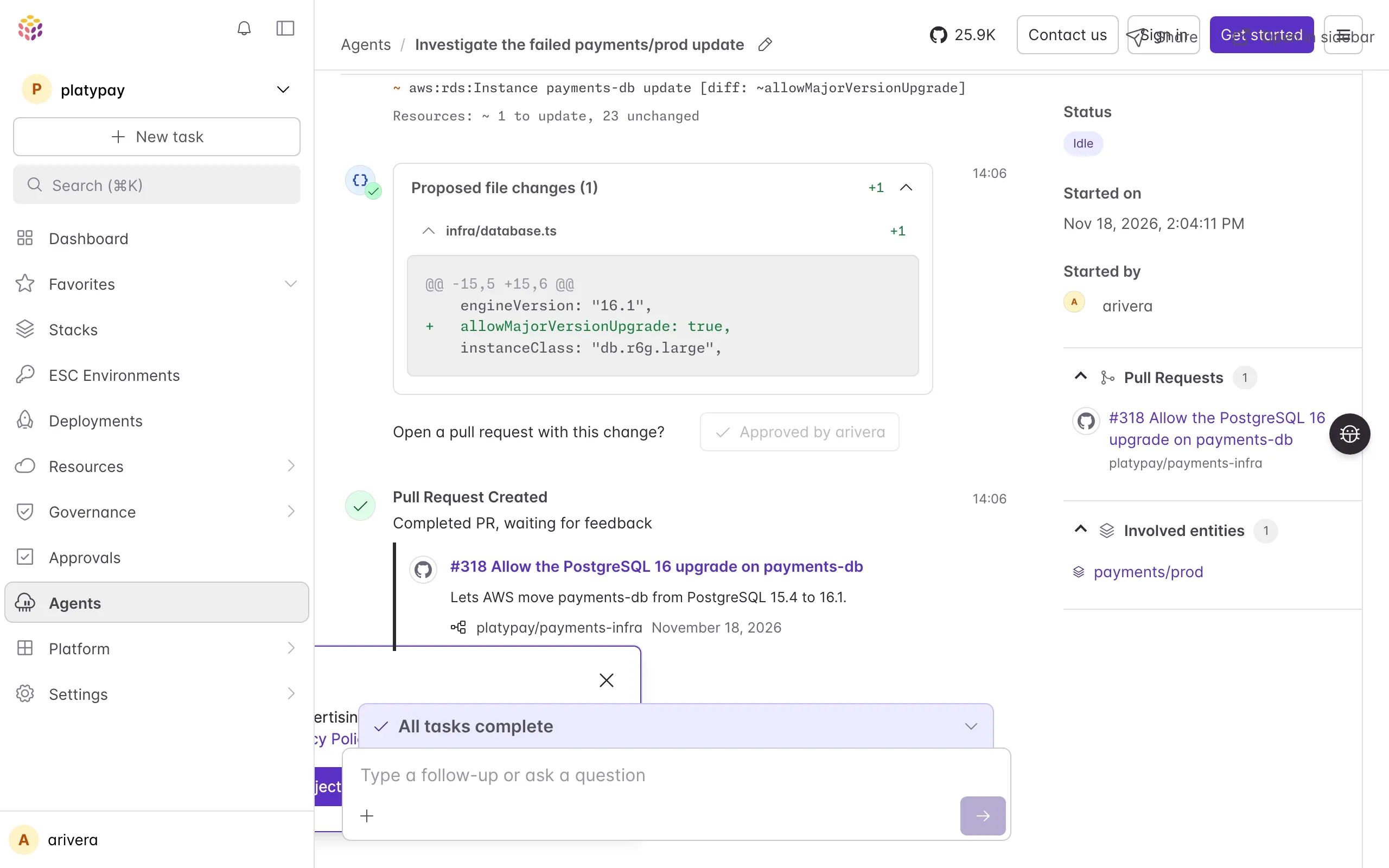
Debug a failed update
Ask why an update failed. Neo reads the logs, the stack's history, and your code, then explains the cause and proposes a fix.Review pull requests
Neo reads thepulumi previewoutput for a pull request and comments on the lines that need attention.Schedule recurring work
Turn a task into an automation that runs hourly, daily, or weekly, like a provider freshness check or a backup audit.Run it from your terminal
Runpulumi neoto work with Neo locally, with your own CLIs, environment variables, and kubeconfigs.Use it in your editor
Neo runs in the agent panel of Zed, JetBrains IDEs, VS Code, and Cursor, and edits your local files as it works.Ask from Slack
Mention@pulumiin a channel and work through the task in its thread.
Agents that start work without being asked
When an alert fires, an update fails, or a stack drifts, an agent with the tools it needs starts investigating right away. Your team gets its findings in Slack, and the agent opens a pull request for any code fix.
Start from prebuilt agents
Skip building agents from scratch — start from Pulumi's incident, drift, and security agents and tune them for your team.Automate investigations
An agent starts investigating as soon as an update fails, drift appears, or PagerDuty fires.Work in Slack
The agent posts its findings in a Slack thread. Teammates add context, answer its questions, and approve its actions there.Connect tools and context
Give each agent the repositories, cloud accounts, observability tools, and issue trackers its job needs
Bring the coding agent you already use
Claude Code, Codex, Cursor, and other coding agents can write, preview, and deploy Pulumi code in your repository. They can also hand a job to Neo through the MCP server or pulumi neo.
Pulumi Agent Skills
Teach your agent Pulumi workflows like writing components, managing secrets, and migrating infrastructure.Pulumi MCP server
Let your agent query stacks and resources in Pulumi Cloud and look up resource schemas in the Pulumi Registry.Pulumi CLI
Agents run the same previews and deployments your team does with the Pulumi CLI.


“Our engineers and their coding agents are writing and validating infrastructure code every day. Pulumi is what lets us delegate that work with confidence. Agents work in real code, and the platform gives us the access controls and visibility to let every team move as fast as they want without putting the rest of our environment at risk.”
Every agent works inside your guardrails
Every change an agent makes goes through the same policies, approvals, and audit trail as your team's work. Each agent has its own identity and Pulumi Cloud role.
Only the access the job needs
Widening an agent's permissions takes a reviewed pull request.Approve in Pulumi Cloud or Slack
Define which actions wait for a person's approval, and approve them in Pulumi Cloud or in the task's Slack thread.A record of every task
Trace any change to the agent that made it, the teammate who requested it, and the reviewer who merged the pull request.Changes as pull requests
Agents propose changes as code, with a preview of what each one will do. Nothing in your cloud changes until policies pass and a teammate approves.
Bring your own model provider to Pulumi Agents
Connect custom Pulumi Agents to a model provider of your choosing.
Any model provider
Use the latest inference from frontier model labs.Governance
Meet compliance goals and use only models approved by your team.Compatible endpoints
Control your token spend by using any self-hosted OpenAI or Anthropic API-compatible LLM gateway.
Get started with Pulumi Agents
Pulumi Agents are available in the Pro and Enterprise editions. Give your new team its first task in Pulumi Cloud or your terminal.
Learn how Pulumi Agents work
Set up your first agent and its guardrails.