Twitter search in Athena
Analyze tweets in AWS Athena
This example lives in the pulumi/examples repository. Check out just this directory to use it:
git clone --filter=blob:none --sparse https://github.com/pulumi/examples pulumi-examplesgit -C pulumi-examples sparse-checkout set aws-ts-twitter-athenacd pulumi-examples/aws-ts-twitter-athenaA sample project that queries Twitter every 2 minutes and stores the results in S3. The project also sets up an Athena table and query. This project demonstrates using aws.cloudwatch.EventRule to run a Lambda on an interval.
Before deploying, register a new Twitter app so you have the consumer and access keys used below.
Prerequisites#
Deploying the example#
-
Create a new stack:
Terminal window pulumi stack init twitter-athena -
In Twitter, get the keys for your application. Set configuration values for your Twitter consumer key/secret and application key/secret. Use the
--secretflag to securely encrypt secret values.Terminal window pulumi config set twitterAccessTokenKey <Value for Consumer Key (API Key)>pulumi config set --secret twitterAccessTokenSecret <Value for Consumer Secret (API Secret)>pulumi config set twitterConsumerKey <Value for Access Token>pulumi config set --secret twitterConsumerSecret <Value for Access Token Secret> -
Set a search term to query for:
Terminal window pulumi config set twitterQuery "Amazon Web Services" -
Set the AWS region to deploy into:
Terminal window pulumi config set aws:region us-west-2 -
Install dependencies:
Terminal window npm install -
Preview and deploy the app. A total of 16 resources are created.
Terminal window pulumi up -
View the stack outputs:
Terminal window pulumi stack outputPlease choose a stack: aws-serverless-js-twitter-devCurrent stack outputs (4):OUTPUT VALUEathenaDatabase tweets_databasebucketName tweet-bucket-de18828createTableQueryUri https://us-west-2.console.aws.amazon.com/athena/home?force#query/saved/e394800e-a35e-44b3-b8ca-8b47b0f74469topUsersQueryUri https://us-west-2.console.aws.amazon.com/athena/home?force#query/saved/51fa5744-bab6-4e5f-8cd6-9447b6619f06 -
Navigate to the URL for
createTableQueryUriand run the query in the Athena console. This will create a table calledtweets. -
Navigate to the URL for
topUsersQueryUriand run the query in Athena. You’ll see tweets for your search term, by users with more than 1000 followers.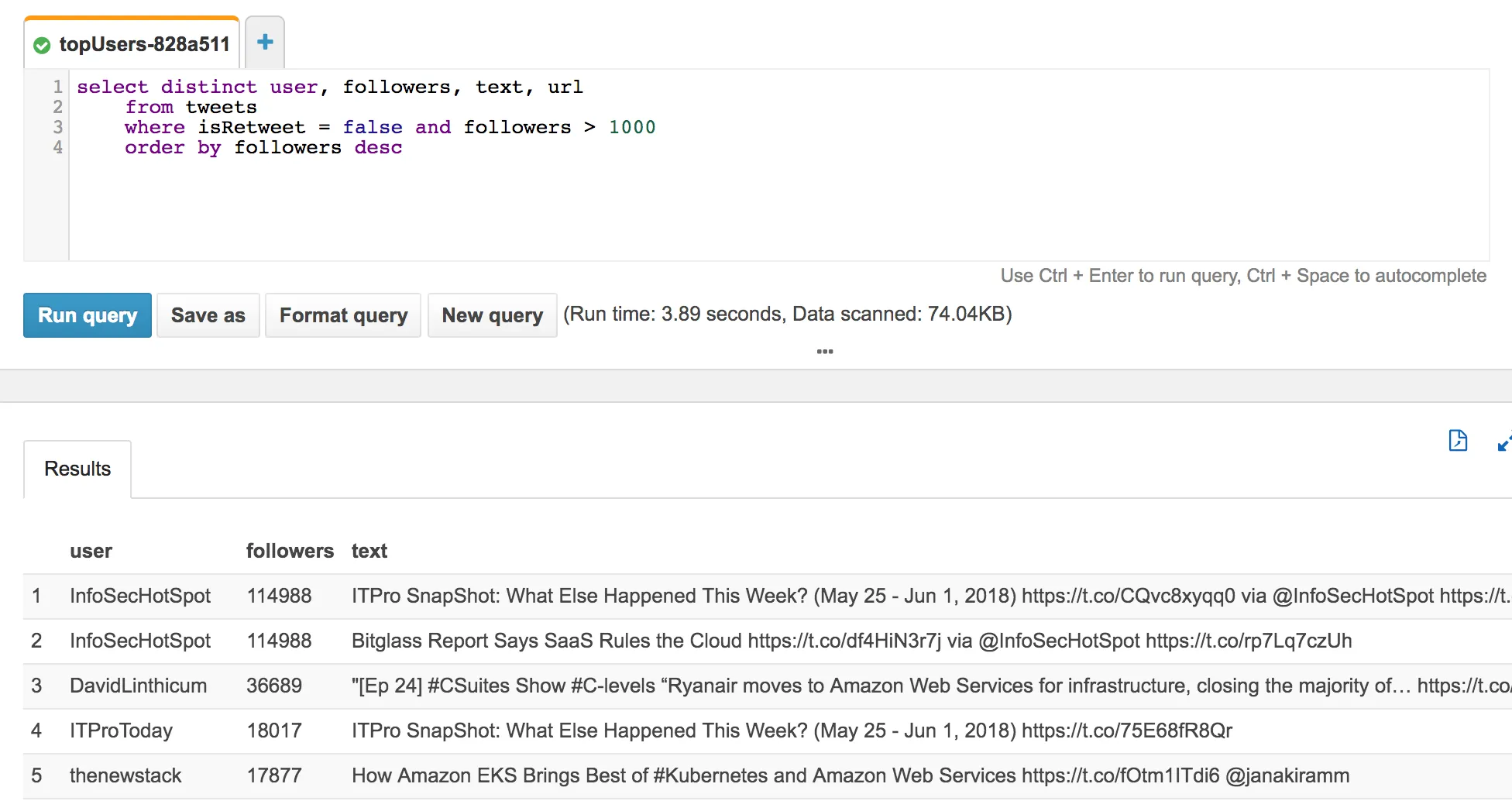
Cleaning up#
To clean up resources, destroy your stack and remove it:
pulumi destroypulumi stack rm