Voting app using Redis and Flask
Voting app that uses containers
This example lives in the pulumi/examples repository. Check out just this directory to use it:
git clone --filter=blob:none --sparse https://github.com/pulumi/examples pulumi-examplesgit -C pulumi-examples sparse-checkout set aws-ts-voting-appcd pulumi-examples/aws-ts-voting-appA simple voting app that uses Redis for a data store and a Python Flask app for the frontend. The example has been ported from https://github.com/Azure-Samples/azure-voting-app-redis.
The example shows how easy it is to deploy containers into production and to connect them to one another. Since the example defines a custom container, Pulumi does the following:
- Builds the Docker image
- Provisions AWS Container Registry (ECR) instance
- Pushes the image to the ECR instance
- Creates a new ECS task definition, pointing to the ECR image definition
Prerequisites#
Deploying the example#
Note: some values in this example will be different from run to run. These values are indicated with ***.
-
Create a new stack:
Terminal window pulumi stack init voting-app-testing -
Set AWS as the provider:
Terminal window pulumi config set cloud:provider aws -
Configure Pulumi to use an AWS region that supports Fargate, which is currently only available in
us-east-1,us-east-2,us-west-2, andeu-west-1:Terminal window pulumi config set aws:region us-west-2 -
Set a value for the Redis password. The value can be an encrypted secret, specified with the
--secretflag. If this flag is not provided, the value will be saved as plaintext inPulumi.testing.yaml(sincetestingis the current stack name).Terminal window pulumi config set --secret redisPassword S3cr37Password -
Install dependencies:
Terminal window npm install -
Ensure the Docker daemon is running on your machine, then preview and deploy the program with
pulumi up. The program deploys 24 resources and takes about 10 minutes to complete.Terminal window pulumi up -
View the stack output properties. The stack output property
frontendURLis the URL and port of the deployed app:Terminal window pulumi stack output frontendURL***.elb.us-west-2.amazonaws.com -
In a browser, navigate to the URL for
frontendURL. You should see the voting app webpage.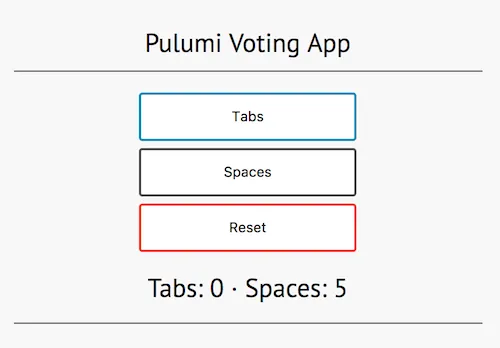
Cleaning up#
When you’re done, destroy your stack and remove it:
pulumi destroypulumi stack rmAbout the code#
At the start of the program, the following lines retrieve the value for the Redis password by reading a configuration value. This is the same value that was set above with the command pulumi config set redisPassword <value>:
let config = new pulumi.Config();let redisPassword = config.require("redisPassword");In the program, the value can be used like any other variable.
Resources#
The program provisions two top-level resources with the following commands:
let redisCache = new awsx.ecs.FargateService("voting-app-cache", ... )let frontend = new awsx.ecs.FargateService("voting-app-frontend", ... )The definition of redisCache uses the image property of FargateService.taskDefinitionArgs to point to an existing Docker image. In this case, this is the image redis at tag alpine on Docker Hub. The redisPassword variable is passed to the startup command for this image.
The definition of frontend is more interesting, as it uses image property of FargateService.taskDefinitionArgs to point to a folder with a Dockerfile, which in this case is a Python Flask app. Pulumi automatically invokes docker build for you and pushes the container to ECR.
So that the frontend container can connect to redisCache, the environment variables REDIS, REDIS_PORT are defined. Using the redisListenre.endpoint property, it’s easy to declare the connection between the two containers.
The Flask app uses these environment variables to connect to the Redis cache container. See the following in frontend/app/main.py:
redis_server = os.environ['REDIS']redis_port = os.environ['REDIS_PORT']redis_password = os.environ['REDIS_PWD']