Host a static website on Amazon S3 with the AWS Native provider
A static website hosted on AWS S3
This example lives in the pulumi/examples repository. Check out just this directory to use it:
git clone --filter=blob:none --sparse https://github.com/pulumi/examples pulumi-examplesgit -C pulumi-examples sparse-checkout set aws-yaml-static-websitecd pulumi-examples/aws-yaml-static-websiteA static website that uses S3’s website support. For a detailed walkthrough of this example, see the tutorial Static Website on AWS S3.
Note: Some resources are not yet supported by the Native AWS provider, so we are using both the Native and Classic provider in this example. The resources will be updated to use native resources as they are available in AWS’s Cloud Control API.
Prerequisites#
Deploying the example#
Note: some values in this example will be different from run to run. These values are indicated with ***.
-
Create a new stack:
Terminal window pulumi stack init dev -
Set the AWS region to deploy into, either using an environment variable:
Terminal window export AWS_REGION=us-west-2Or with the stack config:
Terminal window pulumi config set aws:region us-west-2pulumi config set aws-native:region us-west-2 -
Run
pulumi upto preview and deploy changes. After the preview is shown you will be prompted if you want to continue or not.Terminal window pulumi upPreviewing update (dev)...Updating (dev)View Live: https://app.pulumi.com/***/aws-native-ts-s3-folder/dev/updates/1Type Name Status+ pulumi:pulumi:Stack aws-native-ts-s3-folder-dev created+ ├─ aws-native:s3:Bucket s3-website-bucket created+ ├─ aws:s3:BucketPolicy bucketPolicy created+ ├─ aws:s3:BucketObject index.html created+ └─ aws:s3:BucketObject favicon.png createdOutputs:bucketName: "***"websiteUrl: "http://***.s3-website-us-west-2.amazonaws.com"Resources:+ 5 createdDuration: *** -
To see the resources that were created, run
pulumi stack output:Terminal window pulumi stack outputCurrent stack outputs (2):OUTPUT VALUEbucketName ***websiteUrl http://***.s3-website-us-west-2.amazonaws.com -
To see that the S3 objects exist, you can either use the AWS Console or the AWS CLI:
Terminal window aws s3 ls $(pulumi stack output bucketName)2021-09-30 15:27:58 13731 favicon.png2021-09-30 15:27:58 198 index.html -
Open the site URL in a browser to see both the rendered HTML and the favicon:
Terminal window pulumi stack output websiteUrl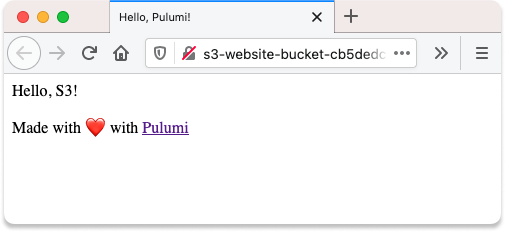
Cleaning up#
To clean up resources, destroy your stack and remove it:
pulumi destroypulumi stack rmRelated
AWS Static Website
Create an AWS Static Website Fast with Angular and Pulumi
