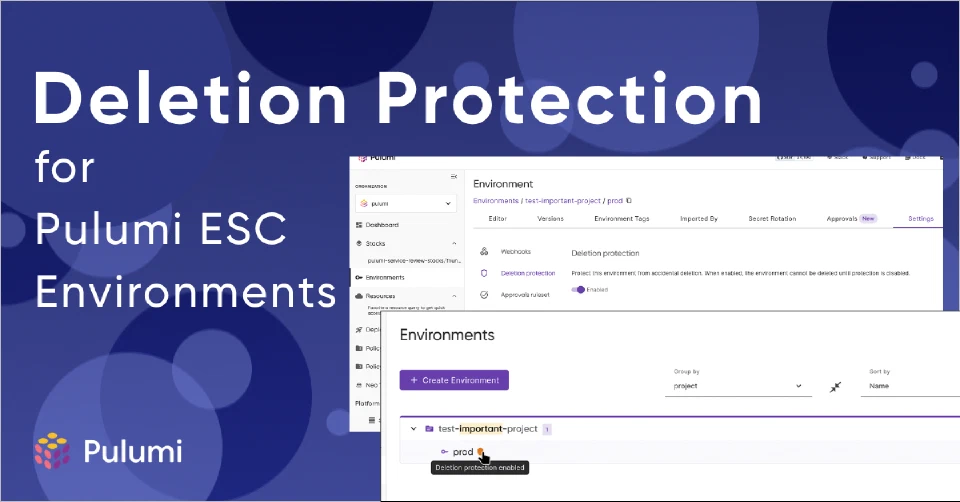
Pulumi ESC environments can now be protected from accidental deletion with a new deletion protection setting.
Environments often contain configuration that supports production workloads or is shared across multiple stacks. Deleting these environments by mistake can disrupt services and require time-consuming recovery. Deletion protection provides a safeguard against these scenarios.
How it works
When deletion protection is enabled for an environment, any attempt to delete it fails until protection is explicitly disabled. This applies to deletions from both the Pulumi Cloud console and the Pulumi CLI.
Protected environments display a shield icon in the environment list and on stack pages where the environment is imported. The icon links directly to the deletion protection settings.
Managing deletion protection
In the Pulumi Cloud console, navigate to your environment’s settings to enable or disable deletion protection with a toggle.
From the CLI, use the new pulumi env settings commands:
# Enable protection
pulumi env settings set myorg/myproject/prod deletion-protected true

# View current setting
pulumi env settings get myorg/myproject/prod deletion-protected

# Disable protection
pulumi env settings set myorg/myproject/prod deletion-protected false
Attempting to delete a protected environment returns a clear error message with instructions.
When to use deletion protection
Enable deletion protection for:
- Production environments
- Environments imported by multiple stacks
- Environments shared across teams
- Any environment containing configuration that should persist
Permissions
Only environment admins can modify deletion protection settings. This ensures that protection cannot be removed without appropriate authorization.
Getting started
Deletion protection is available now for all Pulumi ESC environments. Visit your environment settings or use the Pulumi CLI to enable it.
For more information, see the deletion protection documentation.