If you run AI tools and agents, you’ve probably accepted three tradeoffs: your data leaves your network, you can’t work offline, and your bill scales with usage.
Open-weight models now run well on consumer hardware. Once the model is on your machine, your data stays local, inference works offline, and tokens cost nothing. If you own a modern Mac, you can run a high-quality model yourself.
Gemma 4 is an open-weights model family from Google. This post focuses on Gemma 4 12 B, released in June 2026, using Unsloth’s Q8_0 GGUF. The 12 B model fits comfortably on a modern Mac while leaving enough headroom for local llama.cpp and a chat UI.
We’ll use llama.cpp for host-native inference, k3d for a local Kubernetes cluster, Pulumi for infrastructure as code, and Tailscale for secure access.
Prerequisites
This setup was validated on the following hardware:
- macOS 26 Tahoe, version 26.5
- MacBook Pro with Apple M3 Max
- 36 GB RAM
On this machine, llama.cpp reported about 20 output tokens per second for a 160-token validation response with unsloth/gemma-4-12b-it-GGUF, gemma-4-12b-it-Q8_0.gguf, and a 131,072-token context. Sustained throughput varies by prompt length, thermal state, and llama.cpp settings.
You’ll need brew, docker, pulumi, and tailscale installed. We’ll also install k3d during the process.
Run Gemma 4 with host-native llama.cpp
We use llama.cpp directly on macOS to leverage Apple Metal acceleration. Running the LLM on the host is more efficient than trying to pass GPU access into a local Kubernetes VM.
Install the build tools:
brew install cmake git
Then build llama.cpp from source and download the multimodal projector. In validation, Homebrew llama.cpp 9430 could run text inference, but it could not load the new Gemma 4 12 B projector and failed with unknown projector type: gemma4uv. Building current llama.cpp from source fixed that.
llm_home="$HOME/pulumi-gemma4-llm"
mkdir -p "$llm_home/models" "$llm_home/logs"

if [ ! -d "$llm_home/llama.cpp/.git" ]; then
  git clone --depth 1 https://github.com/ggml-org/llama.cpp.git "$llm_home/llama.cpp"
fi

cmake -S "$llm_home/llama.cpp" \
  -B "$llm_home/llama.cpp/build" \
  -DGGML_METAL=ON \
  -DGGML_BLAS=ON \
  -DCMAKE_BUILD_TYPE=Release

cmake --build "$llm_home/llama.cpp/build" --target llama-server -j 10

curl -L --fail \
  --output "$llm_home/models/mmproj-F16.gguf" \
  https://huggingface.co/unsloth/gemma-4-12b-it-GGUF/resolve/main/mmproj-F16.gguf
Then download and run the model with this command:
"$HOME/pulumi-gemma4-llm/llama.cpp/build/bin/llama-server" \
  --hf-repo unsloth/gemma-4-12b-it-GGUF \
  --hf-file gemma-4-12b-it-Q8_0.gguf \
  --mmproj "$HOME/pulumi-gemma4-llm/models/mmproj-F16.gguf" \
  --host 127.0.0.1 \
  --port 18080 \
  --ctx-size 131072 \
  --parallel 1 \
  --jinja \
  --reasoning off
We use port 18080 because 8080 is commonly used and is likely to conflict with another service you may already have running locally. If your port 8080 is free, you can use it and adjust the Pulumi config later.
The model file is about 12.65 GB, and the projector is about 116 MB. Gemma 4 12 B advertises a 131,072-token context, and this Mac loaded that full context with --parallel 1. llama.cpp projected about 15.1 GiB of Apple Metal device memory for the text model and about 258 MiB worst-case memory for the projector, leaving enough headroom for Open WebUI and the rest of the local stack. The --reasoning off flag keeps OpenAI-compatible chat responses visible in clients that do not read separate reasoning fields.
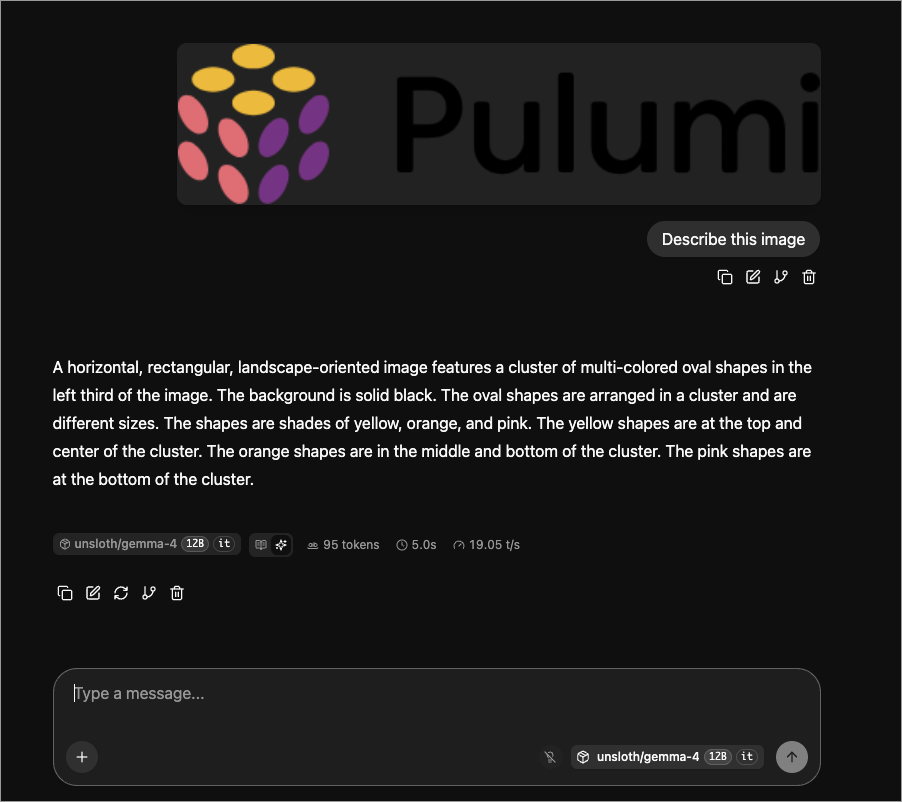
With --mmproj, /v1/models advertised capabilities: ["completion","multimodal"]. In local validation, Open WebUI accepted an uploaded Pulumi logo image and Gemma 4 described it correctly. A small WAV file also worked through the OpenAI-compatible input_audio request shape, though llama.cpp logs still mark audio input as experimental.
Verify the LLM API
Open a new terminal and check if llama.cpp is responding:
curl http://127.0.0.1:18080/v1/models
The /v1/models endpoint should return the model ID unsloth/gemma-4-12b-it-GGUF. Now try a chat completion:
curl http://127.0.0.1:18080/v1/chat/completions \
  -H "Content-Type: application/json" \
  -d '{
    "model": "unsloth/gemma-4-12b-it-GGUF",
    "messages": [{"role": "user", "content": "Reply with exactly: OK"}],
    "temperature": 0,
    "max_tokens": 32
  }'
The chat prompt Reply with exactly: OK should return content OK. In validation, llama.cpp reported an output token velocity of about 20 tokens per second for a longer 160-token response.
Keep llama.cpp running after reboot
For a permanent setup, put the llama.cpp startup script and logs under a folder in your home directory and let launchd restart it when you sign in:
llm_home="$HOME/pulumi-gemma4-llm"
mkdir -p "$llm_home/logs" "$HOME/Library/LaunchAgents"

cat > "$llm_home/start-llama-server.sh" <<'EOF'
#!/bin/zsh
set -euo pipefail

export PATH="/opt/homebrew/bin:/usr/local/bin:/usr/bin:/bin:/usr/sbin:/sbin"

exec "$HOME/pulumi-gemma4-llm/llama.cpp/build/bin/llama-server" \
  --hf-repo unsloth/gemma-4-12b-it-GGUF \
  --hf-file gemma-4-12b-it-Q8_0.gguf \
  --mmproj "$HOME/pulumi-gemma4-llm/models/mmproj-F16.gguf" \
  --host 127.0.0.1 \
  --port 18080 \
  --ctx-size 131072 \
  --parallel 1 \
  --jinja \
  --reasoning off
EOF

chmod +x "$llm_home/start-llama-server.sh"

cat > "$HOME/Library/LaunchAgents/com.pulumi.gemma4.llama-server.plist" <<EOF
<?xml version="1.0" encoding="UTF-8"?>
<!DOCTYPE plist PUBLIC "-//Apple//DTD PLIST 1.0//EN" "http://www.apple.com/DTDs/PropertyList-1.0.dtd">
<plist version="1.0">
<dict>
  <key>Label</key>
  <string>com.pulumi.gemma4.llama-server</string>
  <key>ProgramArguments</key>
  <array>
    <string>$llm_home/start-llama-server.sh</string>
  </array>
  <key>WorkingDirectory</key>
  <string>$llm_home</string>
  <key>RunAtLoad</key>
  <true/>
  <key>KeepAlive</key>
  <true/>
  <key>StandardOutPath</key>
  <string>$llm_home/logs/llama-server.out.log</string>
  <key>StandardErrorPath</key>
  <string>$llm_home/logs/llama-server.err.log</string>
</dict>
</plist>
EOF

launchctl bootout gui/$(id -u)/com.pulumi.gemma4.llama-server 2>/dev/null || true
launchctl bootstrap gui/$(id -u) "$HOME/Library/LaunchAgents/com.pulumi.gemma4.llama-server.plist"
launchctl kickstart -k gui/$(id -u)/com.pulumi.gemma4.llama-server
Check the launchd service and llama.cpp logs:
launchctl print gui/$(id -u)/com.pulumi.gemma4.llama-server
tail -f "$HOME/pulumi-gemma4-llm/logs/llama-server.err.log"
If you want to stop llama.cpp later, unload the launchd service:
launchctl bootout gui/$(id -u)/com.pulumi.gemma4.llama-server
Deploy Open WebUI with Pulumi and k3d
Now we’ll deploy Open WebUI into a local Kubernetes cluster. This provides a polished chat interface that connects to our host-native LLM.
First, install k3d if you haven’t already:
brew install k3d
Create a new cluster for this project:
k3d cluster create pulumi-gemma4-blog-qa
We’ll use the Pulumi program in pulumi/examples. This program defaults to runtimeMode=host, which creates a Kubernetes ExternalName service pointing to your host machine.
Why not run the LLM inside Kubernetes on this Mac? Pulumi can do that, and the example supports it with runtimeMode=cluster, but that path is meant for Linux hosts with NVIDIA or AMD GPU device plugins.
On macOS, llama.cpp enables Metal by default, and Metal acceleration is available to native macOS processes. k3d runs Linux containers through Docker Desktop, so those pods do not get direct access to the Mac’s Metal device. Docker’s own vLLM Metal announcement calls out the same boundary: Metal-backed inference runs natively on the host because there is no Metal GPU passthrough for containers. That is why this setup keeps inference host-native and lets Pulumi manage the Kubernetes UI, service wiring, and optional Tailscale access around it.
Clone the examples repo, navigate to the program directory, and initialize a new stack:
git clone https://github.com/pulumi/examples.git
cd examples/kubernetes-py-self-host-gemma4-llm
pulumi stack init gemma4-local
Configure the program to match your local setup:
pulumi config set hostLlmPort 18080
pulumi config set llmBaseUrl http://llm-server:18080/v1
The Kubernetes service named llm-server maps to host.k3d.internal. In our validation, we confirmed that a disposable k3d pod could reach the Mac’s llama.cpp API at http://llm-server:18080/v1/models after a CoreDNS restart.
kubectl rollout restart deployment coredns -n kube-system
Run pulumi up to deploy Open WebUI and connect it to host-native llama.cpp:
pulumi up
In our validation environment, this command successfully reached the resource synthesis phase without requiring Tailscale credentials because Tailscale exposure is opt-in.
Access Open WebUI through Tailscale
Tailscale allows you to access your private Open WebUI instance from any device on your tailnet. Note that we only expose the web interface, not the raw LLM API, to keep the system secure.
The base Open WebUI deployment works without Tailscale credentials. To expose the web UI on your tailnet, enable Tailscale resources and provide an explicit api_key or OAuth/identity token:
pulumi config set enableTailscale true
pulumi config set tailscale:apiKey YOUR_API_KEY --secret
Once configured, Pulumi will create a Tailscale device or proxy that routes traffic to your Open WebUI service.
Use the model with Pi
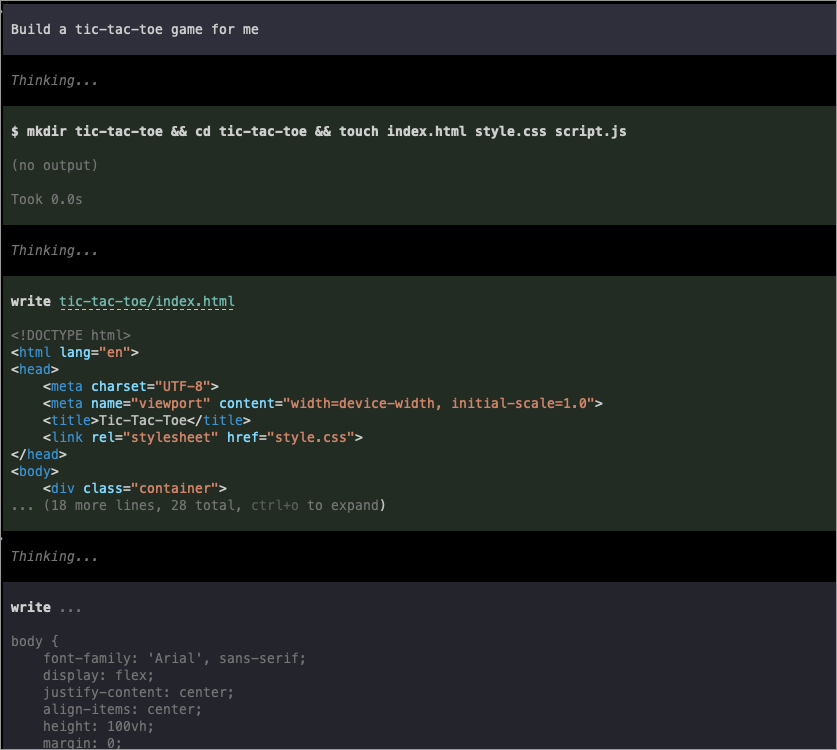
Open WebUI gives you a browser-based chat interface, but local models are also useful from coding agents. Pi is the local coding agent used for this validation; if you do not use Pi, treat this section as an example of how any OpenAI-compatible client can point at the same local endpoint. Pi can point at the same OpenAI-compatible llama.cpp endpoint and use the model running on your Mac.
For a fresh Pi config, create ~/.pi/agent/models.json with a local provider that points at the llama.cpp API:
{
  "providers": {
    "local-llama": {
      "baseUrl": "http://127.0.0.1:18080/v1",
      "api": "openai-completions",
      "apiKey": "local",
      "compat": {
        "supportsDeveloperRole": false,
        "supportsReasoningEffort": false
      },
      "models": [
        {
          "id": "unsloth/gemma-4-12b-it-GGUF",
          "name": "Gemma 4 12B Q8 (local llama.cpp)",
          "reasoning": false,
          "input": ["text"],
          "contextWindow": 131072,
          "maxTokens": 1024,
          "cost": {
            "input": 0,
            "output": 0,
            "cacheRead": 0,
            "cacheWrite": 0
          }
        }
      ]
    }
  }
}
Then set Pi to use that provider and model by default in ~/.pi/agent/settings.json:
{
  "defaultProvider": "local-llama",
  "defaultModel": "unsloth/gemma-4-12b-it-GGUF",
  "defaultThinkingLevel": "off",
  "hideThinkingBlock": true
}
If you already have Pi configuration files, merge the local-llama provider and defaults into your existing JSON instead of replacing the files.
Manage your local AI stack as code
pulumi up.Advanced: Linux GPU in-cluster serving
If you’re running on a Linux host with an NVIDIA or AMD GPU, you can run the LLM directly inside the Kubernetes cluster. This requires the NVIDIA or ROCm device plugins.
The Pulumi program supports this through runtimeMode=cluster. In this mode, it deploys a LlmServer pod that manages the llama.cpp process within the cluster, using GPU resource requests to ensure hardware acceleration.
Cleanup
When you’re done, you can tear down the resources:
pulumi destroy
k3d cluster delete pulumi-gemma4-blog-qa
# Stop llama.cpp using the PID from your terminal
kill <PID>