

Container Service Templates
Pulumi templates for container services on AWS, Azure, and Google Cloud. Each template ships predefined infrastructure as code in your language of choice.
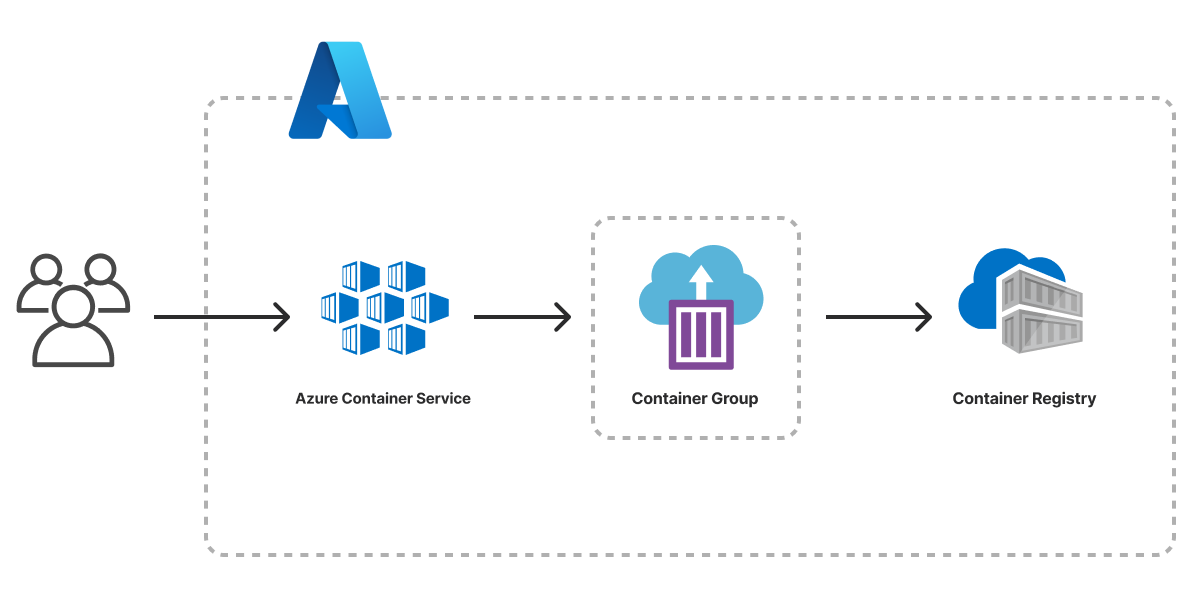
Container Service on Azure
Deploy a container service on Azure with Pulumi and Azure Container Instances.
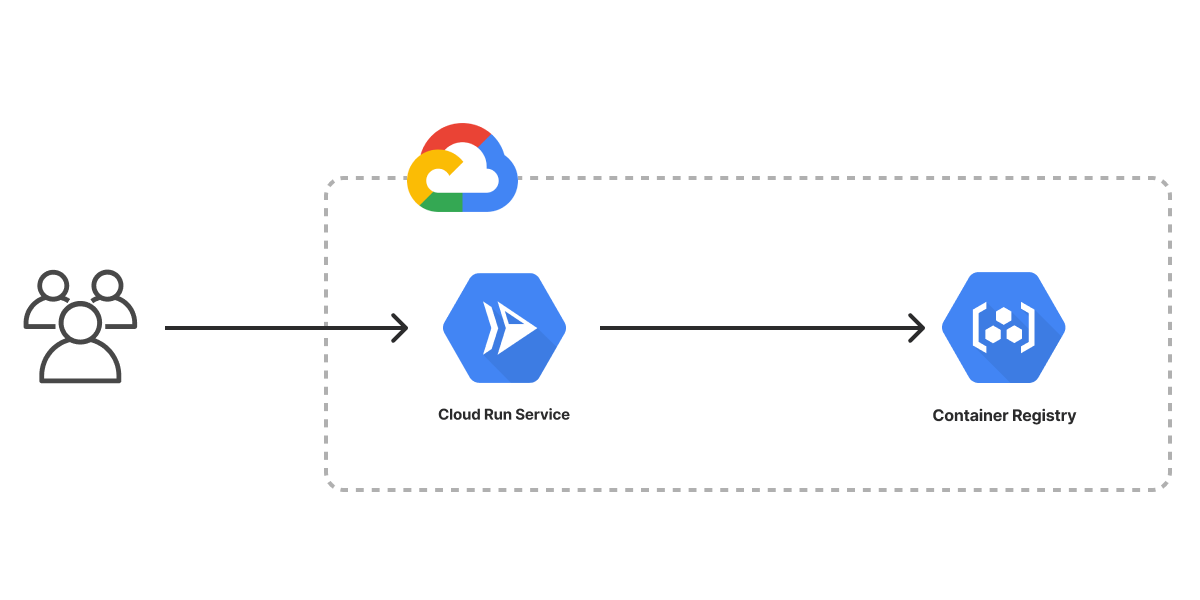
Container Service on Google Cloud
Deploy a container service on Google Cloud with Pulumi and Google Cloud Run.
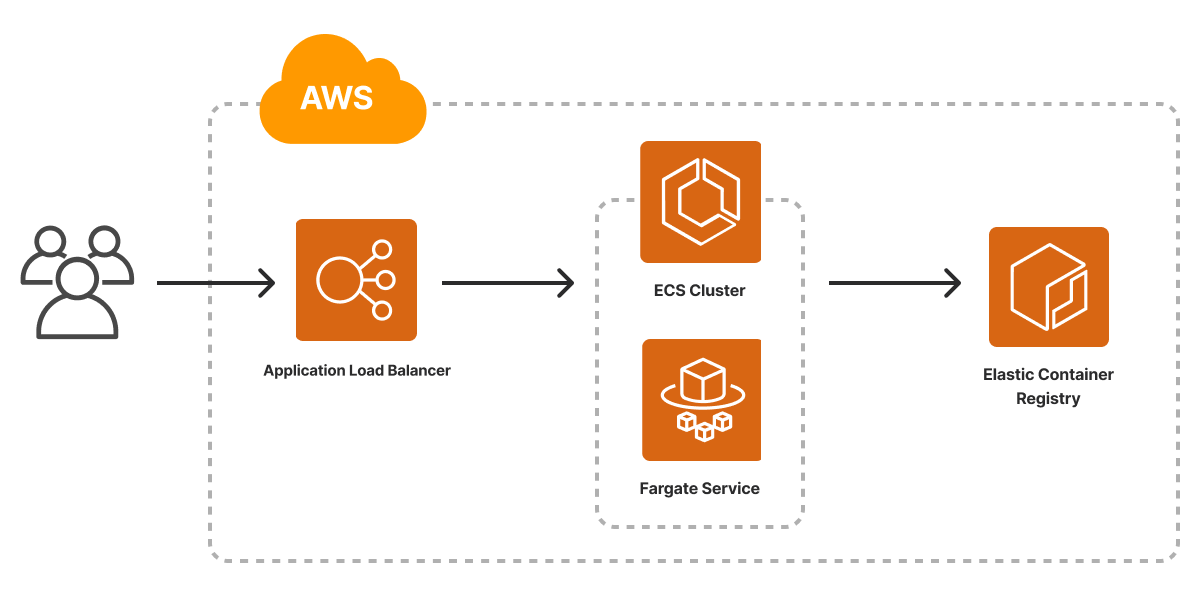

About these templates
What is a container service?
A container service is a managed cloud offering that runs containerized applications without requiring you to operate the underlying servers. The service handles container scheduling, scaling, networking, and (for Kubernetes-based options) cluster management. Containers themselves are lightweight, isolated runtime environments that package an application together with its dependencies, typically built from a Docker image.
Which container service should I use on each cloud?
The major clouds each offer several container services with different operational tradeoffs:
- AWS: Amazon ECS for AWS-native orchestration, Amazon EKS for managed Kubernetes, and AWS Fargate for serverless compute behind either.
- Azure: Azure Container Instances (ACI) for serverless single-container workloads, and Azure Kubernetes Service (AKS) for managed Kubernetes.
- Google Cloud: Cloud Run for serverless containers, and Google Kubernetes Engine (GKE) for managed Kubernetes.
How do I deploy a container service with Pulumi?
Use one of the Container Service templates above to scaffold a complete Pulumi project that provisions a container service and the infrastructure it depends on, including a registry for your container image and a load balancer or HTTPS endpoint where applicable. Templates are available in TypeScript, Python, Go, and C# (plus YAML on AWS), and each one deploys end to end with pulumi new followed by pulumi up.
What languages can I use to define container infrastructure with Pulumi?
Pulumi lets you define container infrastructure in TypeScript or JavaScript, Python, Go, Java, .NET (C#), or YAML. You use the same language for both your application and its infrastructure, with full editor tooling, package management, and testing support.