
Pull requests with Pulumi Neo
Pull requests are the bridge between Neo’s AI capabilities and your production infrastructure. Every change Neo proposes goes through a PR, ensuring:
- Human review of all changes
- CI/CD pipeline validation
- Team collaboration and knowledge sharing
- Audit trail and rollback capability
Neo also analyzes pull requests that your team opens and leaves its feedback right in the PR. See Neo code reviews.
Prerequisites
VCS integration
Neo requires a version control integration to read code from and create pull requests. Pulumi supports GitHub, Azure DevOps, and GitLab. Without a VCS integration, Neo will not be able to view the IaC code backing a stack. Neo can still propose code changes, but they will not be fully contextualized to your IaC code.
Code Access
When a stack is created, its git location is added as stack tags. Neo uses these tags to locate and fetch the git repository.
Pull Requests
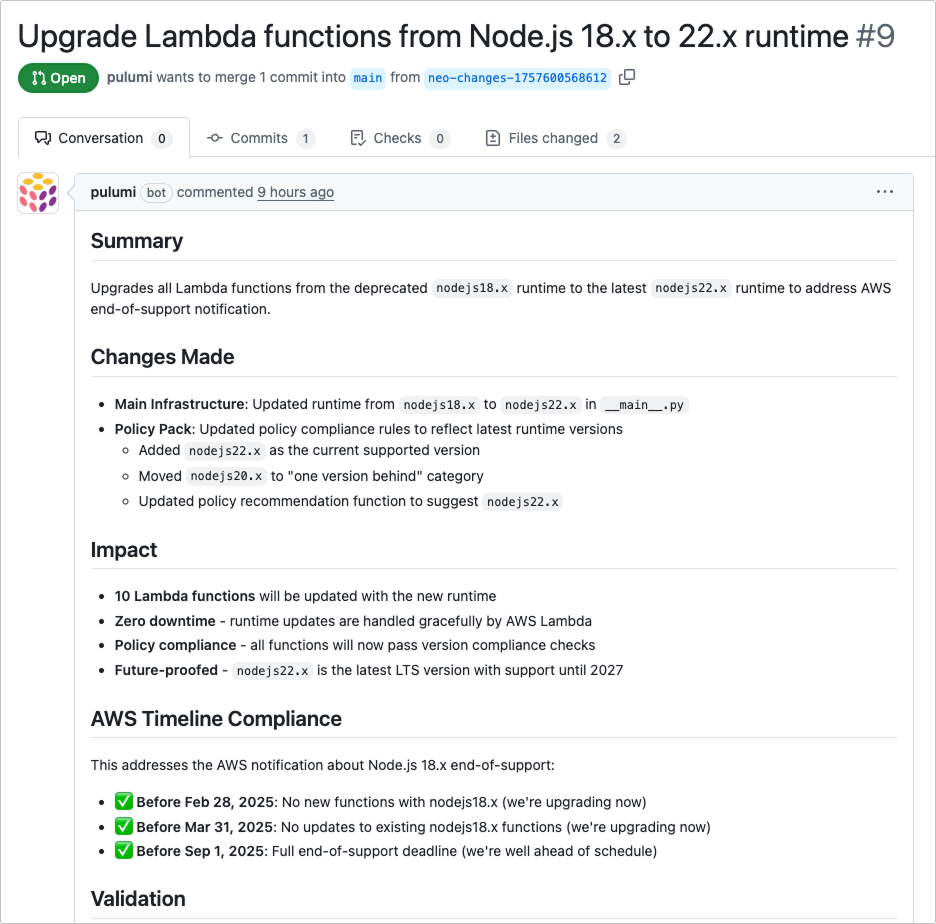
Neo will offer to open a pull request after a preview is run. You can also ask Neo to open or update a pull request at any time. Neo opens a PR with:
- Clear title describing the change
- Description of what problem it solves
- List of modified resources
- Preview output summary
- Link back to the Neo task
Requesting Changes
When reviewing Neo’s pull requests, you can ask for modifications through follow-up prompting. Neo understands context from both the PR and your conversation history.
CI/CD integration
Neo’s pull requests can automatically trigger your existing CI/CD workflows. When configured, your Pulumi previews, security scans, policy checks, and tests will run automatically on Neo’s PRs, just like any other pull request. If a workflow fails, you can ask Neo to address the specific issue, and it will push fixes to the same PR.
To set up CI/CD with Pulumi, see the documentation for GitHub Actions, Azure DevOps Pipelines, or GitLab CI.