


Slash commands
Slash Commands capture proven prompts as shortcuts that anyone on your team can use. When you type / in a Neo conversation, you’ll see available commands. Selecting a command sends the full prompt to Neo.
Built-in commands
Neo includes several built-in commands for common infrastructure tasks:
| Command | Description |
|---|---|
/get-started | Learn what Neo can do and how to structure effective requests |
/policy-issues-report | Lists your most severe policy violations |
/component-version-report | Lists components that are outdated in your private registry |
/provider-version-report | Lists providers that are outdated |
Creating custom commands
You can create organization-specific commands to capture your team’s proven prompts:
- Navigate to Neo Settings in Pulumi Cloud
- Select the “General” tab
- Scroll to the “Slash commands” section
- Click “Add custom slash command”
- Enter a name and description
- Define the prompt
- Save the command
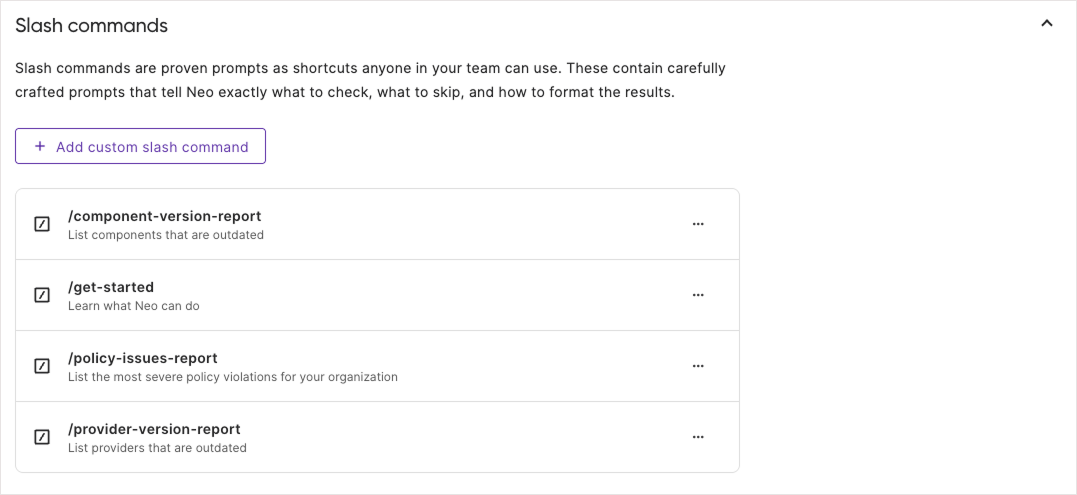
Once saved, the command is immediately available to all team members.
Viewing slash command instructions
When you have selected a slash command in a new or existing Neo task, click on the highlighted command name to view the actual prompt.
Slash command best practices
- Create commands for frequently-used prompts that have proven effective
- Use clear, descriptive names that indicate what the command does