Pulumi Cloud audit logs
Overview
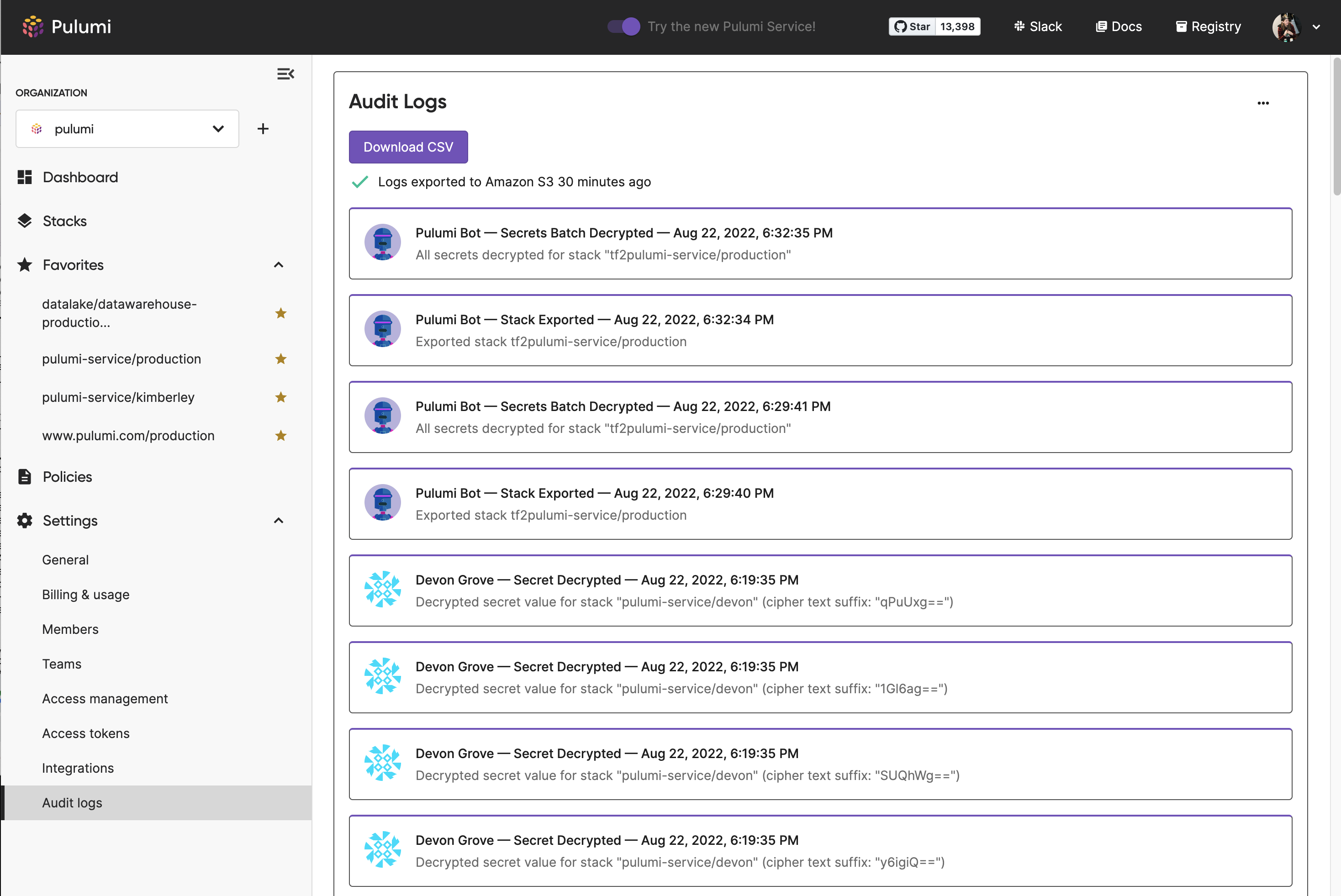
Audit logs enable you to track the activity of users within an organization. They display what a user did, when they did it and where by recording user actions.
Pulumi’s audit logs allow you to account for the activity your users are taking within your organization. The logs are immutable and record all user actions. Auditing makes the activity of members in an organization attributable. The logs capture the UNIX timestamp of the event, the user who invoked the action, the event that took place, and the source IP of the call the user made.
View Audit Logs
Audit logs are an Enterprise Edition and Business Critical feature. Only organization admins can view audit logs.
To view audit logs:
- Navigate to the organization’s Settings.
- Navigate to Audit Logs.
This will show the most recent events in descending order. You can also filter logs by a particular user by selecting their profile picture.
Automated Export
To configure the export of audit logs to AWS S3 using the console:
- Navigate to the organization’s Settings.
- Navigate to Audit Logs.
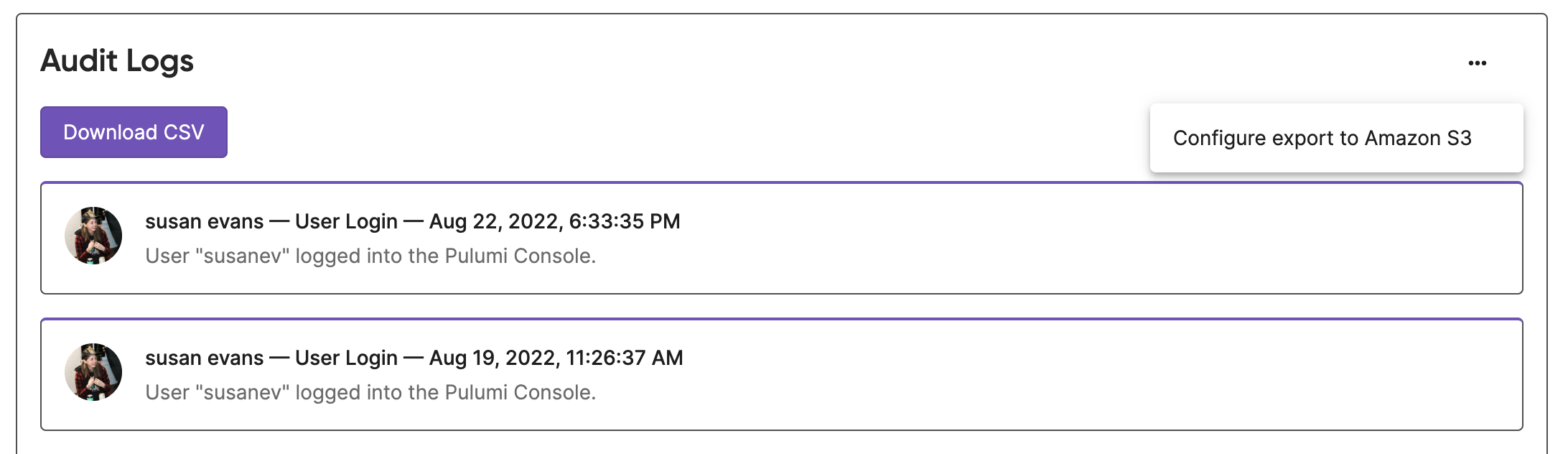
- Use the three dot menu and select Configure Audit Logs to S3.
- Follow the instructions to create an AWS S3 bucket.
- Provide bucket name and a filepath where Pulumi audit logs will be exported eg: ‘Pulumi-audit-logs’.
- Copy the provided policy.
- In the AWS console create an IAM role.
- Select Another AWS Account and check Require external ID.
- Provide the Account ID and External ID, then attach the policy you created.
- Provide the arn of the IAM role.
- Test your configuration.
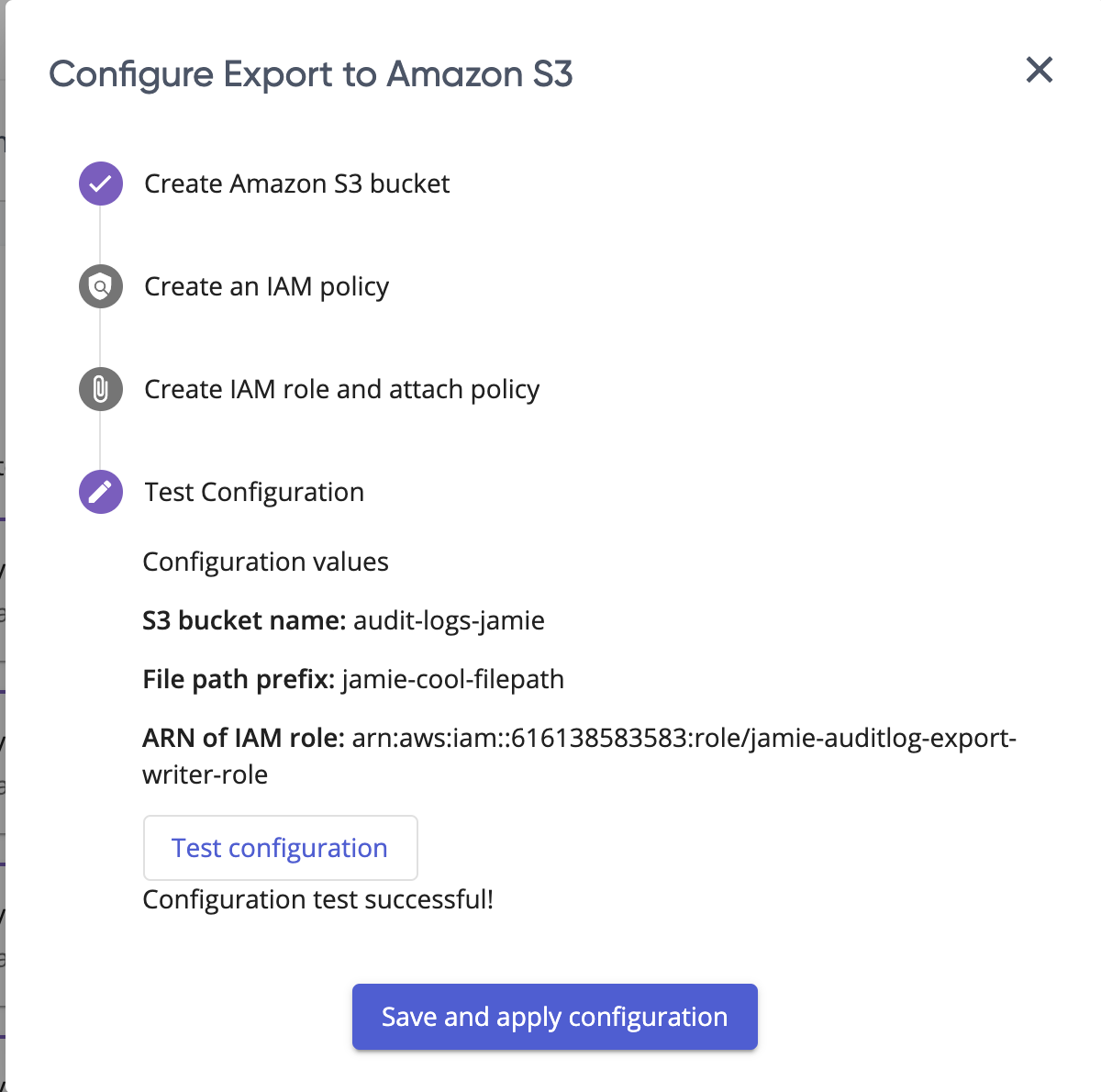
- After a successful test, select Save and Apply.
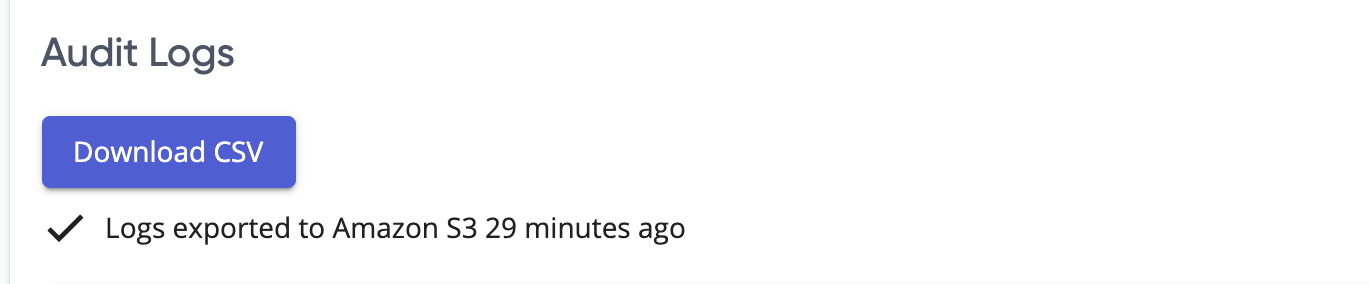
- After an hour, verify that logs have successfully started exporting.
Manual Export
Export Audit Logs Using the Console
To export audit logs using the console:
- Navigate to the organization’s Settings.
- Navigate to Audit Logs.
- Select Download.
Exporting Audit Logs Using the API
Supported Audit Log Formats
The Pulumi Cloud REST API supports multiple formats for exporting audit log events.
JSON Format
The JSON format is composed of the following fields:
| Field | Description |
|---|---|
| timestamp | the Unix timestamp of when the event was recorded |
| sourceIP | IP Address of the client originating the request to invoke this event |
| event | the name of the event |
| description | detailed description of the event that occurred |
| user | details of the user invoking the event (login, name, and avatar URL) |
CSV Format
The CSV (comma separated values) format is composed of the following fields:
Timestamp, Name, Login, Event, Description, SourceIP, RequireOrgAdmin, RequireStackAdmin, AuthenticationFailure
| Field | Description |
|---|---|
| Timestamp | the Unix timestamp of when the event was recorded |
| Name | name of the user invoking the event |
| Login | username of the user invoking the event |
| Event | the name of the event |
| Description | detailed description of the event that occurred |
| SourceIP | IP Address of the client originating the request to invoke this event |
| RequireOrgAdmin | indicates whether the event required organizational admin level permissions, the value will either be “true” or “false” |
| RequireStackAdmin | indicates whether the event required stack admin level permissions, the value will either be “true” or “false” |
| AuthenticationFailure | indicates whether the event occurred due to an authentication failure, the value will either be “true” or “false” |
CEF Format
CEF (common event format) is an audit and logging event format supported by a wide range of SIEM (security information and event management) systems.
The format is as follows:
MMM dd hh:mm:ss host CEF:Version|Device Vendor|Device Product|Device Version|Device Event Class ID|Name|Severity|[Extension]
The following fields are part of the standard header defined by CEF:
Device Vendor, Device Product, Device Version: these are strings that uniquely identify the sending device
Device Event Class ID: string or integer identifying the type of event reported
Name: a human readable description of the event
Severity: severity level reflecting the importance of the event
Extensions: the extensions field is collection of key-value pairs. These keys come from a pre-defined set as well as some keys that we have defined on our own. The following is a list of the keys we are setting on the extension field.
Pre-defined keys by the CEF standard:
| Key | Description |
|---|---|
| dvchost | identifies the device host name. |
| rt | identifies the time at which the event related to the activity was received. |
| src | identifies the source that an event refers to in an IP network. |
| suser | identifies the source user by user name. |
Custom defined keys:
| Key | Description |
|---|---|
| orgID | the ID of the organization this event belongs to. |
| userID | the ID of the user who invoked this event. |
| requireOrgAdmin | indicates whether the event required organizational admin level permissions, the value will either be “true” or “false” |
| requireStackAdmin | indicates whether the event required stack admin level permissions, the value will either be “true” or “false” |
| authenticationFailure | indicates whether the event occurred due to an authentication failure, the value will either be “true” or “false” |
List of Audit Log Events
| Event | Description |
|---|---|
| Auth Failure Organization Role | indicates that a user tried to perform an operation but did not have the necessary organization role to do so |
| Auth Failure SCIM Access Token | indicates that a request to use an organization’s SCIM support was made, but the provided auth token was invalid |
| Auth Failure Stack Permission | indicates that a user tried to perform an operation but did not have the necessary stack permissions to do so |
| Member Added | indicates the adding of a member to an organization |
| Member Removed | indicates the removal of a member from an organization |
| Member Role Changed | indicates the changing of a member’s role in an organization |
| Organization Settings Changed | indicates a change in organization settings |
| Policy Group Created | indicates the creation of a policy group |
| Policy Group Deleted | indicates the deletion of a policy group |
| Policy Group Updated | indicates the updating of a policy group |
| Policy Pack Created | indicates the creation of a policy pack |
| Policy Pack Deleted | indicates the deletion of a policy pack |
| Policy Pack Disabled | indicates the disabling of a policy pack |
| Policy Pack Enabled | indicates the enabling of a policy pack |
| Secret Decrypted | indicates the decryption of a secret value associated with a stack |
| Stack Collaborator Added | indicates the adding of a collaborator to a stack |
| Stack Collaborator Permissions Changed | indicates a change in permissions for a stack collaborator |
| Stack Collaborator Removed | indicates the removal of a collaborator to a stack |
| Stack Created From Template | indicates the creation of a stack from a template |
| Stack Created | indicates the creation of a stack |
| Stack Deleted | indicates the deletion of a stack |
| Stack Exported | indicates the exporting of a stack |
| Stack Imported | indicates the importing of a stack |
| Stack Renamed | indicates the renaming of a stack |
| Stack Transferred to Organization | indicates the transfer of a stack from one organization to another |
| Stack Update Canceled | indicates the canceling of a stack update |
| Stack Update Completed | indicates the completion of a stack update |
| Stack Update Started | indicates the starting of a stack update |
| Team Created | indicates the creation of a team in an organization |
| Team Deleted | indicates the deletion of a team from an organization |
| Team Updated | indicates the updating of a team in an organization |
| User Added New Identity to Their Account | indicates a user has associated a new identity with their Pulumi account |
| User Login | indicates a user has successfully logged into the Pulumi Cloud |
| User Login Failed | indicates a user tried and failed to log into the Pulumi Cloud |
| SAML Configuration Updated | indicates the organization’s SAML configuration has been updated |
| Environment Created | indicates the creation of an environment |
| Environment Updated | indicates the updating of an environment |
| Environment Deleted | indicates the deletion of an environment |
| Environment Open | indicates the opening of an environment |
| Environment Read | indicates the reading of an open environment |
| Environment Read Open | indicates the opening and reading of an environment |
| Environment Unauthorized Open | indicates the attempt to open an environment the user does not have permission to |
| Environment Tag Created | indicates the creation of an environment tag |
| Environment Tag Updated | indicates the updating of an environment tag |
| Environment Tag Deleted | indicates the deletion of an environment tag |
| Environment Version Retracted | indicates the retracting of an environment version |
| Environment Version Tag Open | indicates the opening of an environment at a specific version tag |
| Environment Version Tag Created | indicates the creation of an environment version tag |
| Environment Version Tag Read | indicates the reading of an environment version tag |
| Environment Version Tag Update | indicates the updating of an environment version tag |
| Environment Version Tag Delete | indicates the deletion of an environment version tag |
| Environment Decrypted | indicates the decryption of an environment |
| Environment Clone | indicates the cloning of an environment |
| Environment Restored | indicates the restoring of an environment |
| Environment Schedule Created | indicates the creation of an environment schedule |
| Environment Schedule Updated | indicates the updating of an environment schedule |
| Environment Schedule Deleted | indicates the deletion of an environment schedule |
| Environment Rotated | indicates the rotation of secrets in an environment |
| Stack Provider Open | indicates the opening of a stack provider within an environment |
| Customer Managed Key Added | indicates the adding of a new customer managed key |
| Customer Managed Key Set Default | indicates the setting of a new default customer managed key |
| Customer Managed Key Disabled | indicates the disabling of a customer managed key |
| Customer Managed Key Disabled All | indicates the disabling of all customer managed keys |
Thank you for your feedback!
If you have a question about how to use Pulumi, reach out in Community Slack.
Open an issue on GitHub to report a problem or suggest an improvement.